
Organizations waste hours daily searching for digital assets, but streamlined workflows can transform content operations entirely.
- Centralized content management eliminates scattered files across multiple platforms and storage locations.
- Automated approval processes reduce review cycles from days to hours while maintaining quality standards.
- AI-powered metadata and search capabilities improve asset discovery compared to manual systems.
- Integration with existing tools creates seamless workflows that boost team productivity and collaboration.
Companies implementing optimized digital asset workflows report faster content production and improved brand consistency.
When your marketing team spends more time hunting for last quarter’s campaign assets than actually creating new content, something needs to change. The reality is that many organizations have turned their digital content into an unmanageable maze of folders, drives, and forgotten uploads that drain productivity instead of fueling it.
Digital asset workflows touch every aspect of modern business operations, from marketing campaigns to sales presentations. Yet research shows that employees spend 1.8 hours daily searching for information, with marketing teams particularly affected by this productivity drain. The solution lies in understanding how proper content management transforms scattered processes into streamlined operations that actually work for your team.
The challenge keeps getting bigger as teams produce more content across more channels than ever before. Without organized, efficient workflows, the content chaos only gets worse.
What Does Streamlined Digital Asset Workflow Really Mean?
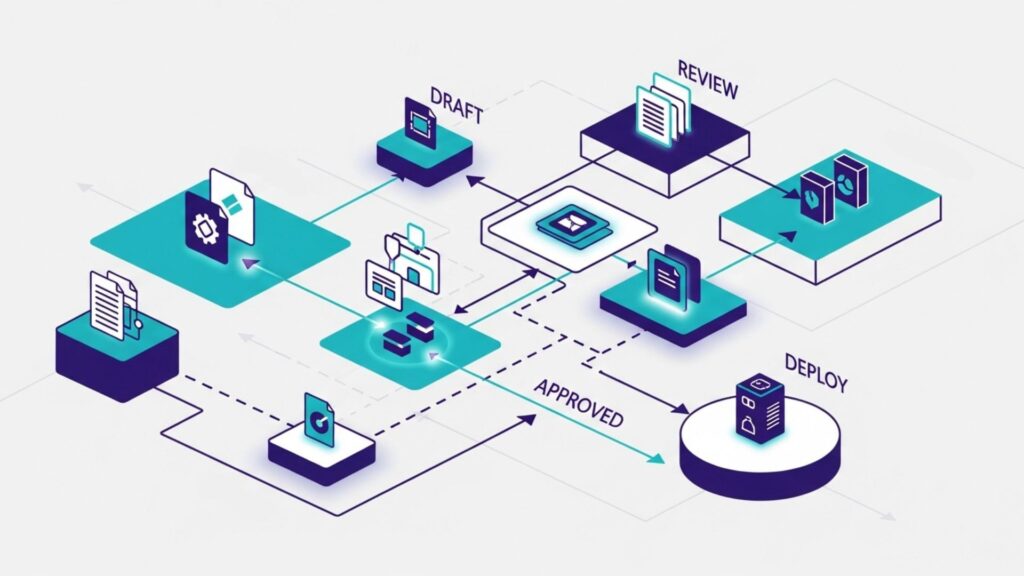
A streamlined digital asset workflow is the systematic approach to managing how content moves through your organization, from initial creation to final distribution. Think of it this way: the photographer uploads raw images, the designer creates variations, the legal team reviews compliance, and the marketing manager publishes approved content across channels—all without confusion about who does what or where files live.
Content management workflows that actually work share a few key traits. They cut out unnecessary steps, make it clear who’s responsible for what, and show project status without endless check-ins. Most importantly, they adapt to how your team already works instead of forcing everyone to learn complicated new processes.
The difference between a functional workflow and a great one often comes down to automation and intelligence. While basic workflows might move files from point A to point B, optimized systems can automatically route content based on type, trigger appropriate approval processes, and suggest the best assets for specific campaigns based on past performance.
Why Current Workflows Are Failing Organizations
Traditional content management creates bottlenecks that keep getting worse. Teams start with good intentions—shared folders, naming conventions, the works—but these manual systems fall apart as content piles up and teams change.
According to industry research, 83% of employees end up recreating assets that already exist simply because they can’t locate the original files. This loss wastes both time and resources, especially when creative teams are already stretched thin.
Version control becomes a nightmare with manual workflows. Teams end up working with outdated assets, creating inconsistent branding across channels. Email threads with feedback spiral out of control, important revisions vanish, and the final approved version might exist only on someone’s laptop.
Perhaps most frustrating is the lack of visibility into project status. Stakeholders constantly ask for updates, project managers spend their days hunting down information, and deadlines get missed because nobody knows where things stand. The communication overhead turns what should be efficient creative work into administrative chaos.

What Are the Essential Components of an Optimized Digital Asset Workflow?
Successful workflow optimization focuses on the core components that actually solve your team’s challenges. These elements work together to keep content moving smoothly from creation to distribution without the bottlenecks that kill productivity.
Centralized Storage and Organization
Workflow optimization starts with gathering all your digital assets in one organized spot. Pull together files from various cloud services, local drives, and email attachments into a unified system where everyone can actually find what they need.
Modern content management software uses intelligent tagging and metadata to make assets discoverable through multiple pathways. A single product photo might be findable by campaign name, color palette, product category, or the season it represents.
Automated Routing and Approval Processes
Manual approval processes create unnecessary delays and confusion about responsibilities. Automated workflows can route content to the right people based on asset type, project requirements, or business rules you define.
For example, any asset containing a company logo might automatically go to brand managers for review, while product images flow directly to marketing teams for campaign use. Intelligent routing reduces the coordination overhead that typically bogs down creative projects.
Integration with Existing Tools
Your workflow optimization efforts will fail if they require teams to abandon tools they already use. The best content management systems integrate with popular design software, project management platforms, and marketing automation tools.
These integrations allow teams to access approved assets directly within their preferred work environments, eliminating the download-edit-upload cycle that slows down production and introduces version control issues.
Real-time Collaboration and Feedback
Modern workflows support real-time collaboration without the chaos of email threads and scattered feedback. Teams can leave comments directly on assets, track revision requests, and see approval status without hunting through multiple communication channels.
Step-by-Step Guide to Workflow Optimization
Transforming your digital asset workflows might seem overwhelming, but it’s manageable when you break it into steps. The key is fixing your current pain points while building processes that scale. Here’s how to move from chaotic content management to streamlined operations that actually support your team’s productivity.
Step 1: Audit Your Current Content Management Process
Begin by documenting how content actually moves through your organization today. Map out each step from asset creation to final distribution, identifying bottlenecks, redundancies, and points where work gets stuck.
Pay attention to how long each stage takes and where teams get most frustrated. This audit usually reveals surprising problems, like approval processes with too many stakeholders or asset handoffs happening through random Slack messages.
Step 2: Centralize and Organize Your Digital Assets
Pull assets from various storage locations into a centralized system built for content management. This takes planning around folder structures, naming conventions, and metadata that will still make sense as your content library grows.
The key is creating organizational systems that multiple team members can understand and consistently maintain. Consider how different roles within your organization might search for content and design your taxonomy accordingly.
Step 3: Design Automated Workflows
Map out the ideal path for different types of content through your approval and distribution processes. Identify opportunities to automate routine decisions, standardize review procedures, and eliminate unnecessary approval layers.
Start with your most common content types and build workflows that automatically handle the majority of cases while still providing flexibility for exceptions that require human intervention.
Step 4: Implement Integration Points
Connect your content management software with the tools your teams already use for design, project management, and distribution. These integrations reduce context switching and make it easier for teams to maintain their preferred working styles while following organizational processes.
Step 5: Train Teams and Gather Feedback
Successful workflow optimization requires buy-in from everyone who will use the new processes. Provide thorough training that focuses on how the new workflows solve existing pain points rather than just explaining features.
Create feedback loops that allow teams to suggest improvements as they discover new ways to work more efficiently within the optimized system.
How Content Management Software Transforms Workflows
Content management software transforms how teams collaborate, create, and distribute content. The right platform eliminates the friction points slowing down your creative work while introducing intelligent automation that scales with your needs. Here’s how workflows stop being frustrating and start becoming competitive advantages.
1. Eliminates the File Hunt: No more digging through endless folders or asking colleagues where they saved last month’s campaign assets. AI-powered search capabilities help teams locate content using natural language queries, visual similarity, or partial file descriptions.
2. Accelerates Approval Cycles: Automated routing ensures the right stakeholders review content at the right time, while built-in approval tools eliminate the back-and-forth of email communication. Teams can reduce approval times from days to hours with properly configured workflows.
3. Prevents Version Control Chaos: Centralized systems maintain definitive versions of all assets while providing clear audit trails of changes and approvals. Teams always work with the most current, approved content, reducing brand consistency issues.
4. Enables Better Collaboration: Real-time commenting, task assignment, and project tracking help distributed teams work together without the overhead of constant status meetings and email updates.
5. Provides Performance Insights: Analytics help teams understand which assets perform best across different channels, informing future content creation decisions and optimizing resource allocation.
6. Scales with Business Growth: Unlike manual processes that break down as teams and content volume grow, well-designed content management software scales to support larger organizations and more complex workflows.
How to Measure the ROI of Streamlined Workflows
Organizations that invest in workflow optimization typically see measurable returns within the first few months of implementation. The most common metrics include reduced time spent searching for assets, faster project completion times, and improved asset reuse rates.
Companies using intelligent content management systems report 50% faster asset discovery. AI-powered DAM systems can result in a 40% reduction in asset management time compared to traditional approaches. These improvements translate directly into cost savings and increased creative output.
The harder-to-measure benefits are equally important: happier teams, better brand consistency, and less stress from chaotic content processes. Teams that used to waste time on admin work can redirect that energy toward creative work that actually drives results.

Common Pitfalls and How to Avoid Them
Even with the best intentions, workflow optimization projects can hit predictable snags. The good news? Most of these pitfalls are avoidable when you know what to watch for.
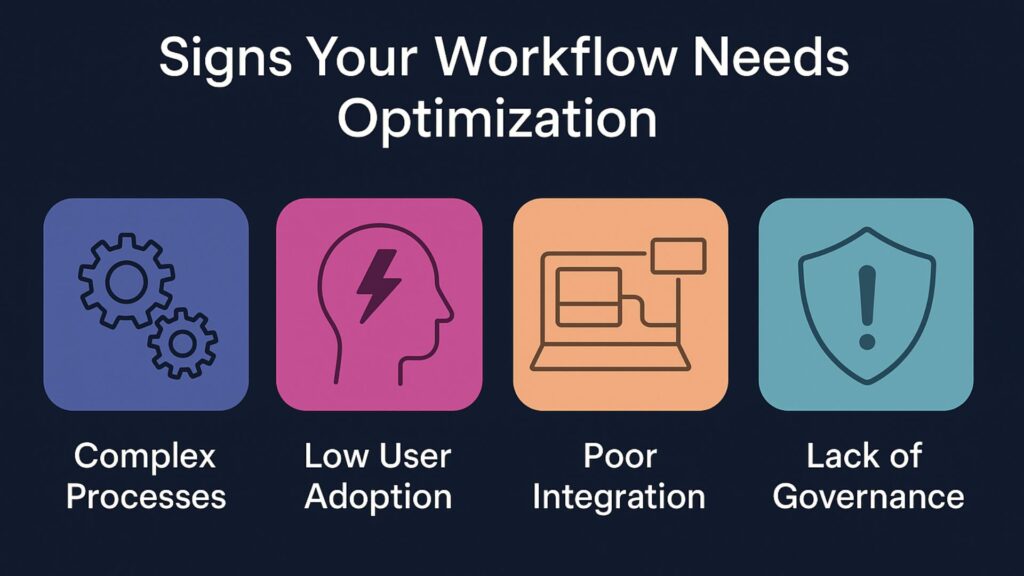
- Over-Engineering the Initial Setup: Many organizations try to perfect their content management workflows before launching, leading to delays and overly complex processes. Start with basic automation for your most common use cases and iterate based on real usage patterns.
- Ignoring User Adoption: The best workflow optimization in the world fails if teams don’t actually use the new processes. Focus on solving real pain points that teams experience daily, and make the transition as smooth as possible through proper training and support.
- Neglecting Integration Requirements: Workflows that require teams to abandon their preferred tools often face resistance and partial adoption. Prioritize integrations with existing software in your planning process.
- Insufficient Governance Planning: Without clear guidelines around content quality, approval authority, and usage rights, even automated workflows can produce inconsistent results. Establish governance frameworks alongside your technical implementation.
FAQ
How long does it typically take to see ROI from workflow optimization? Most organizations begin seeing measurable improvements within the first few months of implementing streamlined workflows. Initial benefits like faster asset discovery appear immediately, while deeper productivity gains from process optimization become apparent over the first quarter of use.
What’s the biggest challenge in transitioning to optimized workflows? User adoption is typically the most significant challenge. Teams are comfortable with existing processes, even inefficient ones. Success requires focusing on solving real pain points and providing adequate training and support during the transition period.
How do automated workflows handle unique or exception cases? Modern content management software includes flexibility for exceptions while maintaining efficiency for routine cases. Workflows can be designed with escalation paths and manual override options for content that doesn’t fit standard processes.
Can workflow optimization work for small teams? Absolutely. While large organizations often see more dramatic ROI numbers, small teams benefit from reduced administrative overhead and improved organization. The key is choosing solutions that scale to team size and complexity.
Transform Your Digital Asset Workflows
Teams that implement content management software and workflow optimization see dramatic improvements in productivity, collaboration, and creative output. The technology automates routine tasks, intelligently routes assets for approval, and provides the visibility that stakeholders need without creating administrative overhead for creative teams.
Aprimo’s AI-powered content operations platform combines intelligent automation with centralized asset management to eliminate the manual bottlenecks that slow teams down. With proven results like 72% faster asset discovery and automated workflows that reduce approval cycles from days to hours, we enable teams to focus on creative work rather than administrative tasks. Get started with Aprimo to see how intelligent content operations can streamline your team’s processes and unlock new levels of efficiency.