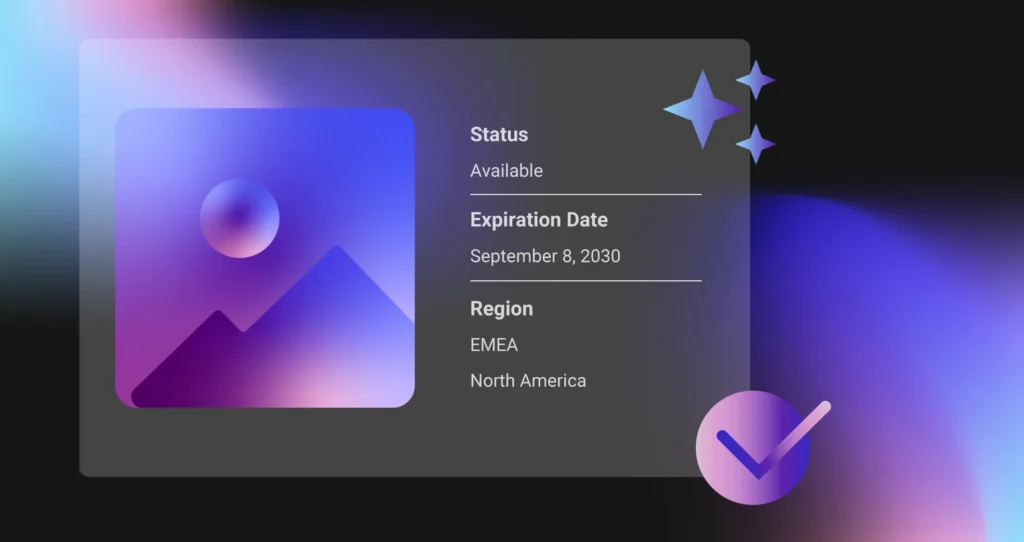
Most teams think about digital assets in terms of access and findability. Can people locate the right file? Is it approved? Is it the latest version?
Those questions matter, but they are only part of the picture. An asset can be easy to find and still be unsafe to use. A photo license may have expired. A video may be approved for one region but not another. Talent usage rights may be limited to a specific timeframe, campaign, or channel. Product imagery may no longer reflect current claims or compliance standards.
That is why digital rights and usage expiration matter so much in DAM. A well-managed asset library is not just organized. It is governed. Teams need to know not only what an asset is, but also whether they are allowed to use it and under what conditions.
TL;DR
Managing digital rights and usage expiration in DAM is about making sure teams know what they can use, where they can use it, and when they need to stop using it. Without that structure, organizations risk using expired, unlicensed, or restricted assets across campaigns, channels, and regions.
A strong DAM approach connects rights information directly to the asset through metadata, governance rules, and clear workflows. That includes tracking usage terms, expiration dates, geographic restrictions, license details, and approval status. When digital rights and expiration are managed well, teams can move faster with more confidence while reducing legal, brand, and compliance risk.
Why digital rights management matters in DAM
Digital asset management is not just about storing and distributing content. It is also about controlling how content is used.
That becomes especially important when assets have legal, contractual, geographic, or time-based restrictions. Licensed photography, stock imagery, agency-created assets, talent-based content, partner materials, and regulated product content can all come with conditions that affect where, how, and for how long they can be used.
Without a clear system for managing those rules, teams often rely on memory, spreadsheets, or disconnected documentation. That creates risk. Expired or restricted assets can end up in market, causing compliance issues, brand problems, unnecessary legal exposure, or costly content replacement work.
DAM helps reduce that risk by making rights and expiration part of the asset record itself, rather than something teams have to track separately.
What digital rights and usage expiration mean in DAM
Digital rights management in DAM refers to the policies, metadata, and controls used to track and govern how assets can be used.
That can include:
- license type
- expiration date
- usage terms
- territory or region restrictions
- channel restrictions
- audience limitations
- talent or model release details
- copyright ownership
- approval status
- renewal requirements
Usage expiration is one of the most important parts of that structure. It defines when an asset is no longer approved for use based on legal, contractual, regulatory, or business rules. Once expiration is tracked clearly in DAM, teams can avoid using assets beyond their valid window.
The risks of managing rights outside your DAM
When rights information lives outside the DAM, it becomes much harder to govern consistently.
A team may find a file in the library but not know that the license expires next week. A regional team may use an asset globally even though it is approved for only one market. A campaign may continue using outdated product imagery because no one realized the content should have been retired.
These are not rare edge cases. They are common symptoms of fragmented governance. When rights management depends on email threads, local knowledge, spreadsheets, or disconnected contract files, the chance of misuse increases.
Bringing rights and expiration data into the DAM reduces that fragmentation. It gives teams one place to understand not just what the asset is, but whether it is usable right now.
How to manage digital rights and usage expiration in DAM
Capture rights metadata at the asset level
Rights management starts with metadata. Every asset with usage limitations should include the fields needed to understand its terms.
That may include expiration date, rights owner, license type, approved channels, approved regions, usage restrictions, release status, contract reference, and renewal contact. The goal is to make rights information visible and actionable at the asset level.
If teams have to look elsewhere to confirm whether an asset is safe to use, governance is already weaker than it should be.
Standardize rights-related fields and values
Rights metadata only works when it is applied consistently. That means standardizing the fields used to track usage rules and defining controlled values where possible.
For example, teams should not describe channel permissions in five different ways or use inconsistent labels for territory restrictions. Standardization makes rights easier to filter, search, review, and govern at scale.
This is where taxonomy matters. A clear rights taxonomy helps ensure assets are classified in a consistent way across regions, brands, and teams.
Make expiration dates visible and actionable
An expiration date should not be buried in an obscure field that no one notices. It needs to be visible in the asset record and tied to clear actions.
Teams should be able to identify assets nearing expiration, review what is about to lapse, and decide whether to renew, replace, archive, or restrict access. The point is not just to store an expiration date. It is to make that date operationally useful.
Use workflow to support review and renewal
Rights management works best when it is connected to process, not just metadata.
A strong DAM approach includes workflows for reviewing expiring assets, notifying the right stakeholders, and deciding what happens next. Some assets may need renewed licensing. Others may need to be archived, replaced, or removed from active use. Workflow makes those decisions repeatable and less dependent on manual follow-up.
This is especially important in enterprise environments where rights-sensitive assets are used across multiple channels, teams, or regions.
Restrict access to expired or noncompliant assets
One of the most valuable governance steps is preventing teams from using assets that should no longer be used.
That may mean changing asset status, restricting visibility, removing expired assets from public-facing portals, or clearly labeling content that is no longer approved. DAM should help reduce the chance of accidental misuse, not simply document that misuse after the fact.
Align rights management with broader governance
Digital rights should not be treated as a standalone admin task. They should be part of the organization’s wider DAM governance model.
That includes ownership, review responsibility, metadata standards, approval policies, audit practices, and content lifecycle rules. When rights management is embedded into governance, it becomes easier to scale and easier for teams to follow consistently.
Best practices for managing rights and expiration in DAM
Start by identifying which asset types carry real usage risk. Not every file needs the same level of rights tracking, but assets with licenses, talent agreements, partner restrictions, or regulatory limitations usually do.
Use required metadata fields for high-risk assets. Keep rights labels consistent across the library. Make expiration dates easy to see and easy to report on. Define who owns renewal and review decisions. Build workflows for asset retirement, renewal, and replacement. Most importantly, make rights information part of how users evaluate assets, not just part of back-end administration.
A good rule is simple: if usage terms matter, they should live with the asset.
Common mistakes to avoid
One common mistake is tracking rights outside the DAM and assuming users will check another system before using an asset. In practice, that rarely happens consistently.
Another mistake is capturing rights information in free-text fields without structure. That may preserve information, but it does not make it easy to search, filter, or govern. Another issue is failing to define ownership. If no one is responsible for reviewing expiration dates or maintaining rights data, the process tends to break down quickly.
Teams also run into trouble when expired assets remain too visible in the DAM. Even if the expiration is technically recorded, users may still download and use the file unless access or status is managed clearly.
Why this matters for enterprise teams
For enterprise organizations, rights management becomes more important as content moves across more channels, markets, and stakeholder groups.
An asset used by one small team creates limited exposure. An asset used across global campaigns, partner ecosystems, commerce environments, and regional marketing programs creates far more risk if rights are unclear or expired.
That is why enterprise DAM needs strong support for rights metadata, approval controls, usage governance, and lifecycle management. Rights management is not just about avoiding mistakes. It is about making content usable at scale without sacrificing control.
Conclusion
Managing digital rights and usage expiration in DAM is about giving teams clarity and protecting the business from unnecessary risk.
When rights and expiration data are attached directly to assets, standardized through metadata and taxonomy, and supported by workflow and governance, teams can move faster with more confidence. They know what is approved, what is restricted, and what is no longer safe to use.
That is what strong DAM governance should do. It should not just make assets easier to find. It should make them safer and easier to use correctly across the organization.
FAQ
How do you manage digital rights in DAM?
You manage digital rights in DAM by attaching rights-related metadata directly to each asset, including license terms, expiration dates, territory restrictions, channel permissions, ownership, and approval status. This helps teams understand how assets can be used and reduces the risk of misuse.
What is usage expiration in digital asset management?
Usage expiration in digital asset management is the date or condition after which an asset should no longer be used. This may be based on licensing terms, talent agreements, campaign timing, compliance rules, or other business restrictions.
Why is digital rights management important in DAM?
Digital rights management is important in DAM because it helps organizations avoid using expired, unlicensed, or restricted assets. It supports governance, reduces legal and compliance risk, and gives teams more confidence in the assets they use.
What metadata should be used for digital rights in DAM?
Common rights-related metadata includes expiration date, license type, approved regions, approved channels, usage restrictions, copyright owner, release status, renewal requirements, and contract reference information.
How do you prevent teams from using expired assets?
You can prevent teams from using expired assets by making expiration dates visible, triggering review workflows, changing asset status when content expires, and restricting access to assets that are no longer approved for use.
What are the best practices for managing asset rights and expirations?
Best practices include capturing rights metadata at the asset level, standardizing fields and values, making expiration dates actionable, assigning ownership, connecting rights to workflow, and embedding rights management into broader DAM governance.