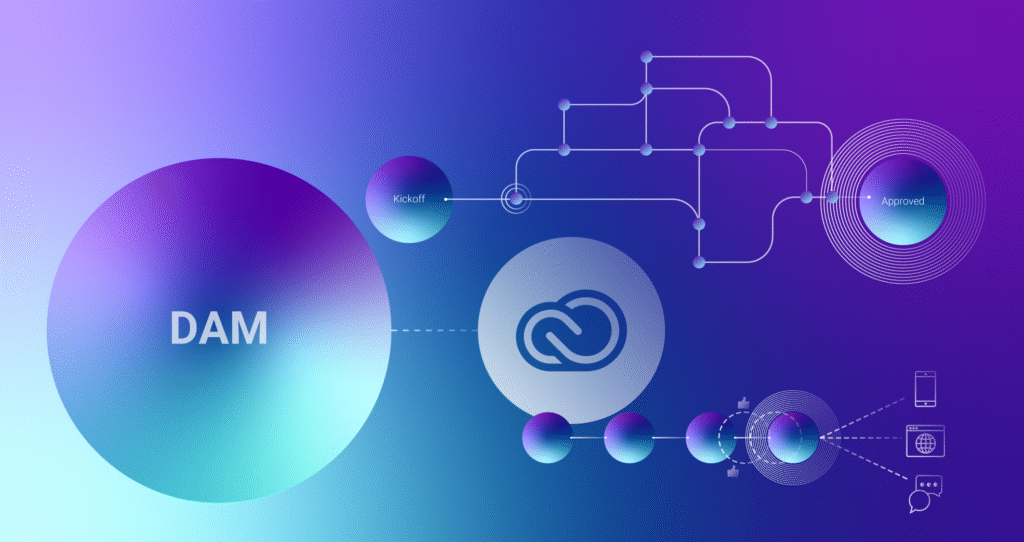
The Creative Workflow Problem
Creative teams work primarily in Adobe Creative Suite, while marketing operations manage timelines, approvals, and dependencies in project management tools. When these systems are disconnected, assets move manually through email, shared drives, or exported files. Version confusion increases, approvals slow down, and teams lose visibility into project status.
A DAM that integrates both environments becomes the connective tissue between creative execution and operational planning.
TL;DR
The best DAM platforms integrate directly with Adobe Creative Suite and project management tools to eliminate manual file handling and disconnected workflows. Look for native Adobe integrations, bi-directional metadata sync, workflow automation, and visibility across creative and production stages. Aprimo connects creative work in Adobe with planning, approvals, and delivery in a single system.
What “Good Integration” Actually Means
Integration is not just the ability to upload or download files. A DAM that truly supports creative and project workflows should:
- Allow designers to access, save, and version assets directly from Adobe tools
- Synchronize metadata, comments, and status between systems
- Trigger workflow steps automatically as assets move through review
- Maintain a single source of truth for approved files
Without these capabilities, teams still rely on manual steps that introduce risk and inefficiency.
Who This Matters For
- Creative Teams: Designers and video editors working in Adobe tools who need fast access to approved assets.
- Marketing Operations: Teams managing timelines, dependencies, and campaign delivery.
- Project Managers: Owners of schedules, resourcing, and approval workflows.
- Brand and Compliance: Stakeholders who need visibility into review history and version control.
- Agencies and Partners: External collaborators who must work within governed workflows.
What to Look For in a DAM Integration Strategy
- Native Adobe Creative Suite Integration: Designers should be able to open, edit, and save assets directly from Adobe applications without downloading local copies. Versioning should occur automatically in the DAM.
- Bi-Directional Metadata Sync: Metadata such as campaign, status, region, and usage rights should travel with the asset between DAM and project tools. This prevents rework and misalignment.
- Workflow and Status Automation: Asset updates in Adobe should trigger workflow steps such as review, approval, or handoff. Project status should update automatically as assets move forward.
- Version Control and Approval History: Each saved version must be tracked with clear lineage and approval context. Teams should always know which file is current and approved.
- Integration with Project Management Tools: The DAM should connect to tools like Workfront, Asana, Jira, or Monday to align creative output with project plans and deadlines.
- Role-Based Access and Permissions: Creative teams, project managers, and external partners should see only what’s relevant to their role, reducing clutter and risk.
- Scalable API Support: Beyond native integrations, APIs should support custom workflows and enterprise requirements without heavy maintenance.
How Aprimo Connects Creative and Project Workflows
Aprimo was built to bridge the gap between creative execution and operational management.
Key capabilities include:
- Native Adobe Creative Cloud integrations that let designers work directly within familiar tools while maintaining DAM governance.
- Centralized version control so every save and update is tracked and review-ready.
- Workflow automation that connects creative output to review, approval, and delivery stages.
- Metadata synchronization across assets, projects, and campaigns.
- Integrations with project and work management tools to align timelines, resources, and approvals.
- API-driven extensibility for connecting additional systems across the marketing stack.
With Aprimo, creative teams stay productive in Adobe while marketing and project teams maintain visibility and control.
Why This Matters
Disconnected creative and project workflows slow execution and increase risk. Designers spend time managing files instead of creating. Project managers chase updates. Review cycles stretch longer than necessary.
An integrated DAM reduces friction, improves transparency, and keeps teams aligned from concept to delivery. It also ensures that only approved assets move into production and distribution.
Closing Thoughts
Choosing a DAM that integrates with Adobe Creative Suite and project management tools is essential for modern content operations. Look for platforms that support native creative workflows, automate approvals, and connect seamlessly to planning systems.
Aprimo provides this integration layer, helping organizations unify creative work and operational execution without forcing teams to change how they work.
FAQ
Why is Adobe Creative Suite integration important for DAM?
It allows designers to work directly in their creative tools while maintaining version control, metadata, and governance in the DAM.
Can a DAM replace project management tools?
No. A DAM should integrate with project management systems, not replace them. Each serves a distinct role in the workflow.
What project management tools commonly integrate with DAM platforms?
Tools such as Workfront, Asana, Jira, and Monday are commonly integrated to align creative work with planning and approvals.
How does Aprimo support creative and project workflow integration?
Aprimo connects Adobe Creative Cloud with automated workflows, metadata synchronization, and integrations to project management tools, providing end-to-end visibility and control.